
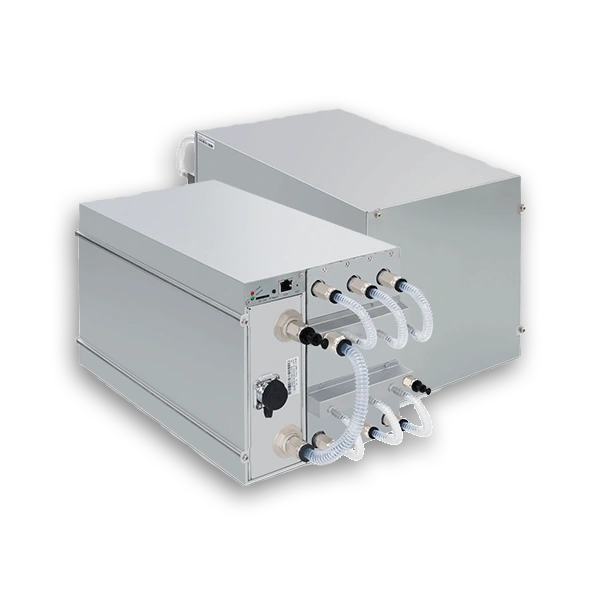
The Bitmain Antminer S21 XP Hydro is designed for high-density hydro deployments where poor startup discipline can erase the efficiency advantage you paid for.
A clean rollout starts with the right coolant chemistry, a stable three-phase electrical feed, and a technician workflow that verifies environmental limits before the unit ever hashes.
Key Takeaways
- Validate power, coolant flow, and inlet temperature before first energizing the unit.
- Treat firmware, filtration, and coolant quality as part of normal operations, not afterthoughts.
- Use environmental thresholds and simple fault checks to catch problems before they become hardware damage.
Deployment
Hardware Snapshot
The S21 XP Hydro combines flagship SHA-256 performance with a closed-loop hydro interface, making it a fit for disciplined containerized deployments rather than ad hoc retrofits.
| Parameter | Specification |
|---|---|
| Hashrate | 473 TH/s |
| Power draw | 5,676W @ 35°C |
| Efficiency | 12 J/TH |
| Cooling | Closed-loop hydro cooling |
| Noise | 50 dB |
| Network | RJ45 Ethernet (10/100M) |
| Input voltage | 380-415V AC, 3-phase |
Deployment
Pre-Startup Checklist
Power and cabling
- Confirm a stable 380-415V, 3-phase feed with circuit protection sized for the unit.
- Use a certified PDU and C20 power cable, then verify grounding resistance is at or below 0.3 ohms.
- Mount the miner in a dust-controlled, vibration-resistant location before connecting coolant lines.
Cooling system setup
- Connect the miner to DN10 / OD10 mm hydro fittings with leak-free terminations.
- Use deionized water or approved antifreeze with a pH target between 8.5 and 9.5.
- Verify 8.0-10.0 L/min coolant flow with pressure at or below 3.5 bar and inlet temperature between 20°C and 50°C.
Critical startup rule
Do not attempt a cold start with inlet coolant below 20°C. The unit will not start correctly, and repeated attempts create unnecessary commissioning noise.
Deployment
Installation and Pool Configuration
- Secure the miner, coolant lines, and power leads before plugging in network connectivity.
- Locate the unit on the network through Bitmain's configuration tool or your router interface.
- Open the miner web interface and enter pool URL, worker name, and password under Miner Configuration.
- Bring miners online in controlled batches so you can watch flow, temperature, and electrical behavior without masking faults.
Once the miner is reachable, the first job is not chasing peak output. It is proving that power, coolant, and network behavior are all stable enough to support sustained uptime.
Deployment
Operating and Maintenance Guardrails
| Task | Frequency | What to verify |
|---|---|---|
| Dashboard review | Daily | Hashrate, board temperature, and power draw remain inside normal variance |
| Filter cleaning | Monthly | Inlet and outlet filters stay clear enough to maintain target flow |
| Firmware updates | Quarterly | Known bugs and control improvements are rolled out intentionally |
| Coolant replacement | Annually | Fluid is flushed and replaced before contamination compounds |
Environmental limits worth logging
- Ambient humidity should stay within 10-90% RH without condensation.
- Storage temperature can be lower than operating temperature, but recommissioning should follow startup checks again.
- Coolant conductivity should remain below 100 μS/cm and ideally under 20 μS/cm at initial fill.
Deployment
Common Faults and First Responses
| Issue | First checks |
|---|---|
| Low hashrate | Confirm pool connectivity, coolant flow, and firmware status |
| Overheating | Verify inlet temperature, clear filters, and confirm no trapped air remains in the loop |
| Connection instability | Restart cleanly, inspect Ethernet, and recheck cabinet-side network configuration |
Best practice
Treat the miner and cooling loop as one system. Electrical, network, and thermal checks should be logged together during rollout and after every maintenance intervention.